What I built
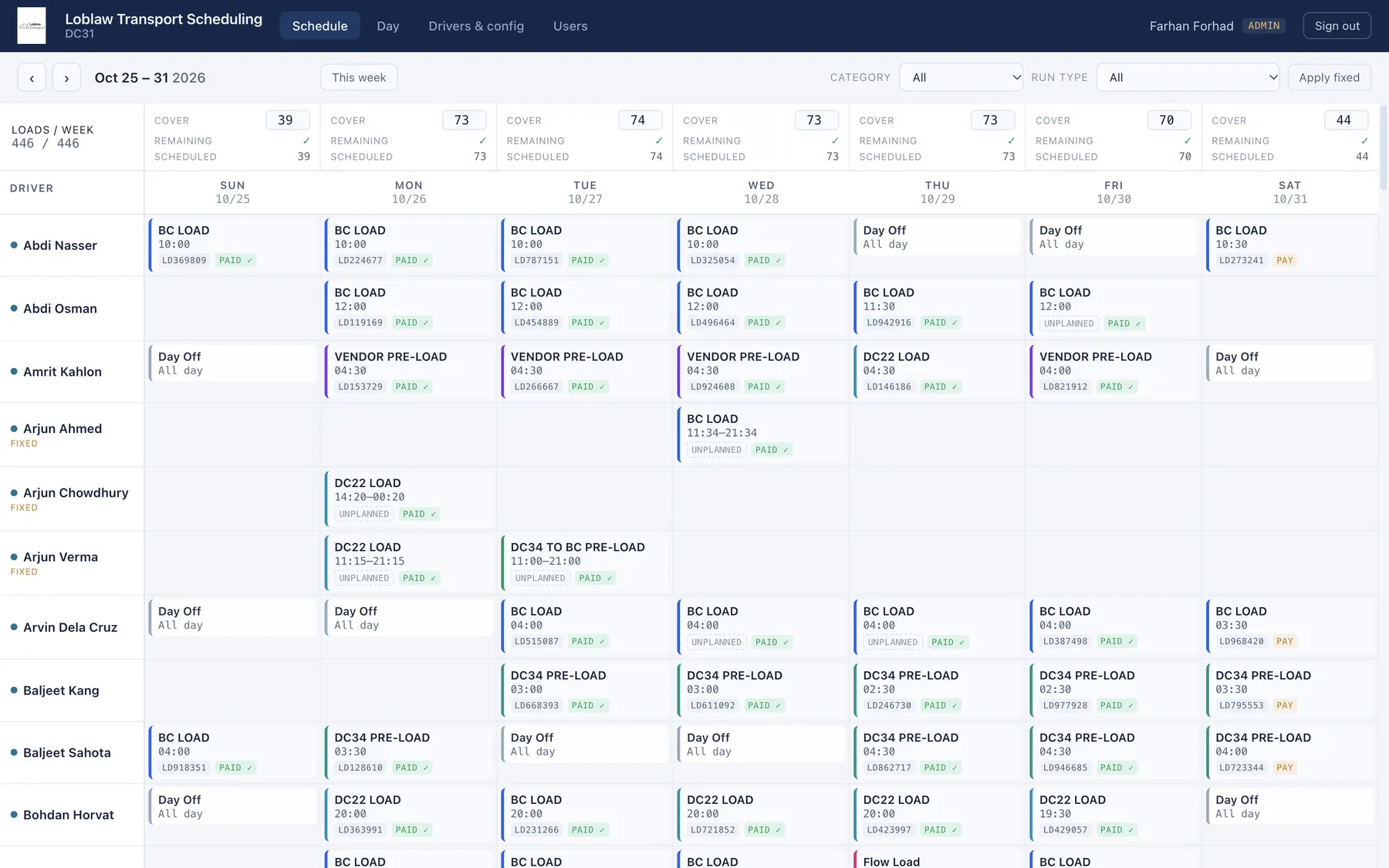
Screens below use demo data. Driver names and load numbers are fictional.
Case study · Loblaw · 2026
Driver dispatch across Loblaw's transport network ran on shared Excel workbooks and memory. I built the replacement: one web platform for the company's distribution centre fleets that holds every week's schedule, checks hours of service before a run is booked, and keeps history for pay approval. Live in production and in use.
At the distribution centre I scoped it with, about 15 dispatchers and supervisors edited the same Driver_Schedule.xlsm. One file, one tab that mattered, and no history: nobody could say who had moved a run or when. Two people in the same cell meant the last save won. Run types and departure times were free text, so the same run was spelled five different ways, and drivers found out about changes through one-off messages. The same pattern repeats across the network, which is why the answer had to be one platform, not one better spreadsheet.
Two signals, before I wrote a line of spec. First, the business had already paid an outside firm to rebuild a neighbouring operations tool, so willingness to pay for this class of problem was proven. Second, I sat with dispatchers and watched them work the sheet rather than asking them about it. The requirements list came from what they did, not what they said.
Screens below use demo data. Driver names and load numbers are fictional.
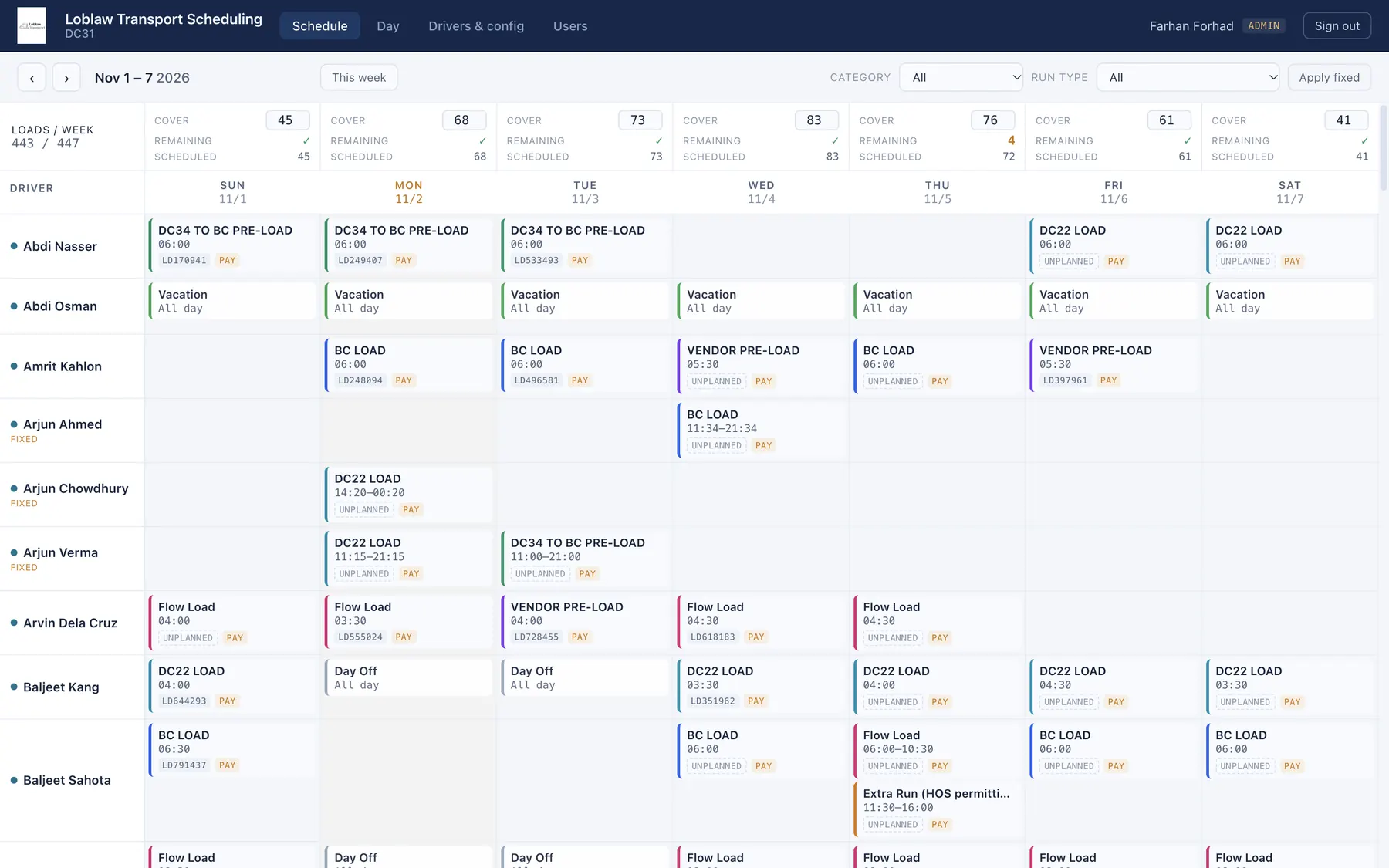
Every week is its own record keyed by its Sunday. The workbook only ever knew "now", which is why nobody could answer "what changed". Keeping weeks also turned the schedule into the input for pay approval instead of a separate reconciliation.
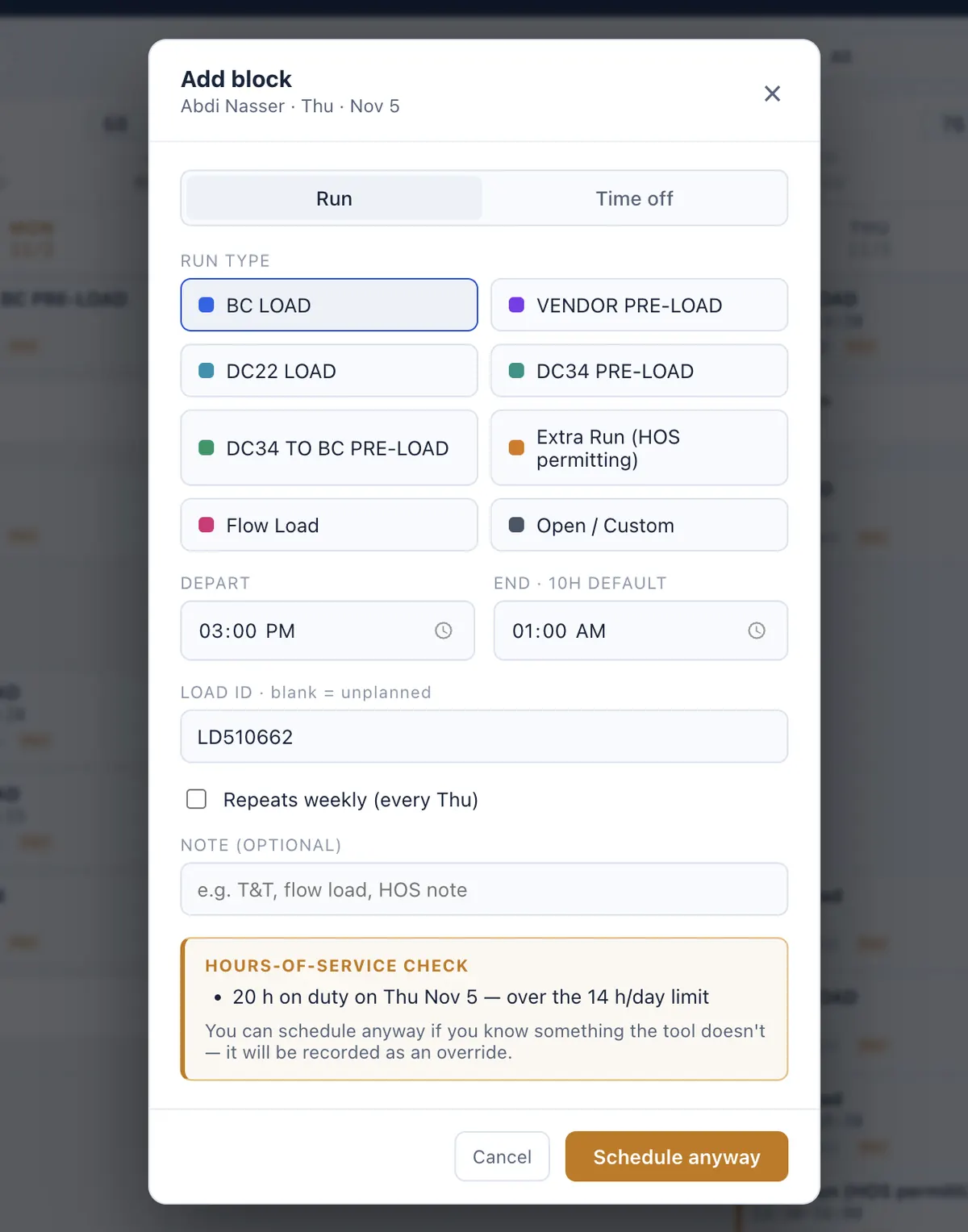
The app checks the daily limit and refuses. A manager can schedule anyway, and the override is stored on the block. A hard block would have been worked around in a text thread; a recorded override gets reviewed.
Everyone who logs in can edit the schedule. Only managers and admins approve runs for pay. That split went into the data model on day one, so the pay workflow would not need a retrofit later.
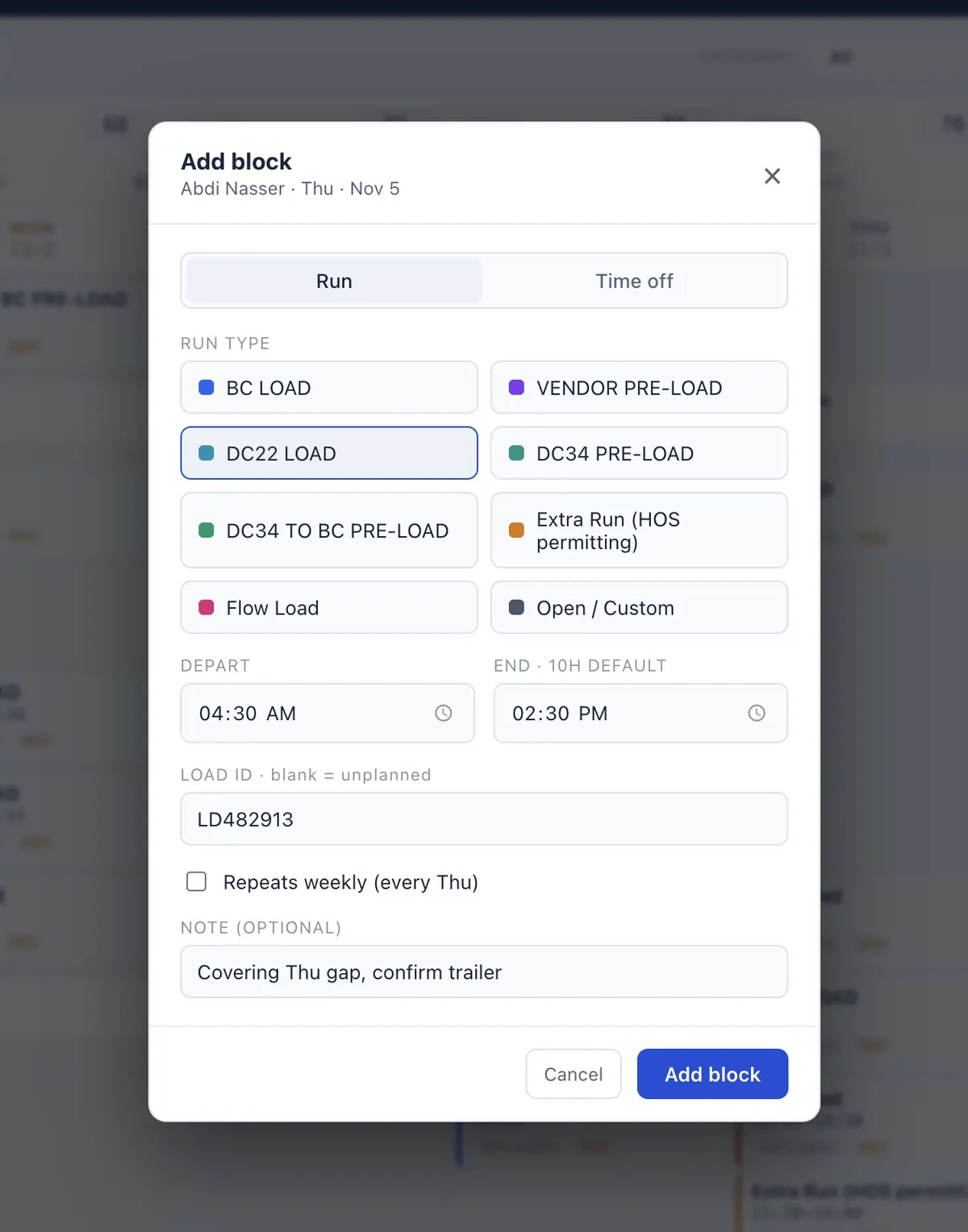
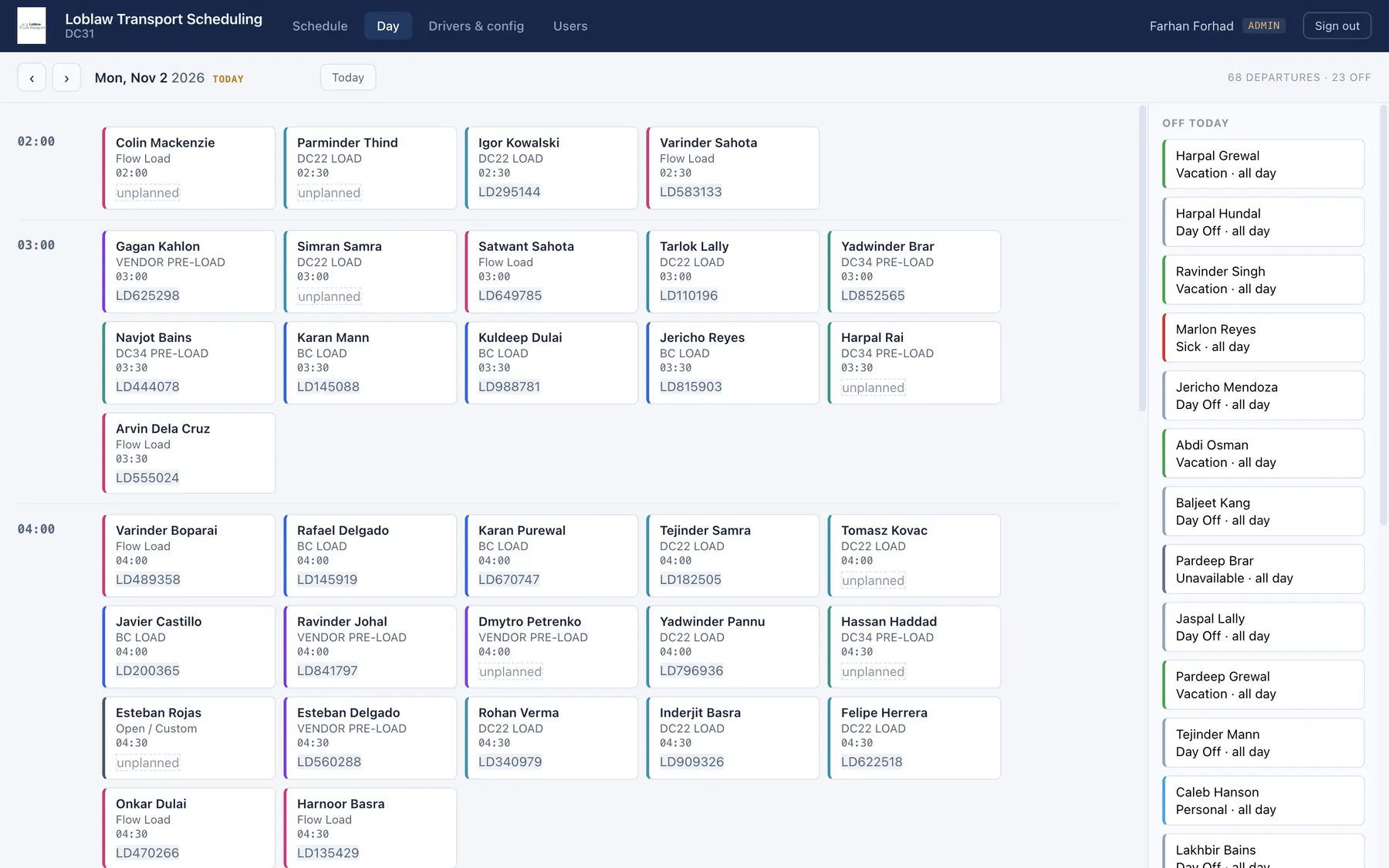
The first release was the one tab everyone fought over: week grid, blocks per driver per day, loads to cover. The full platform was built out around it from what dispatch asked for: run and time-off types, hours-of-service checks, pay approval, driver notifications, and per-DC configuration. Every change has come from the people who run dispatch.
A driver message only shows as sent when the telematics platform actually took it. If the driver isn't linked or the integration is off, the screen says recorded, not sent. If the send fails, nothing is recorded and the dispatcher knows to follow up another way. A tool that claims a driver was told when they weren't is worse than no tool.
In the workbook the last save won. Here every record carries a version, and a stale edit is rejected instead of saved over someone else's change. With about 15 people in the same week, that had to be a rule of the system, not a warning.
Live in production since summer 2026, after enterprise security and privacy review, and in use by the people who run dispatch. The full platform is in place: weekly scheduling, load targets, hours-of-service checks with recorded overrides, pay approval, driver notifications through the fleet telematics platform, and per-DC configuration of rosters, run types and time-off types, all set in the app rather than in code.
What I would build next is the layer the history now makes possible: coverage, override and pay analytics across the network, straight from the schedule data instead of a separate report.
Underneath, more than 100 automated checks cover the API, the hours-of-service rules, the telematics client and the payroll roster sync. They run in CI alongside static analysis, and each scan finding gets triaged and written down.
Stack: Python (FastAPI) · React · MySQL · nginx on Linux